How to Ask AI for a Graphic That Fits Beside You
Tip 2 from Ray Franklin, #PresentationCoachRay
The problem
Ask AI for a presentation graphic, and it spreads the content across the whole frame.
Then your camera goes on top, and part of your message disappears behind you.
The key
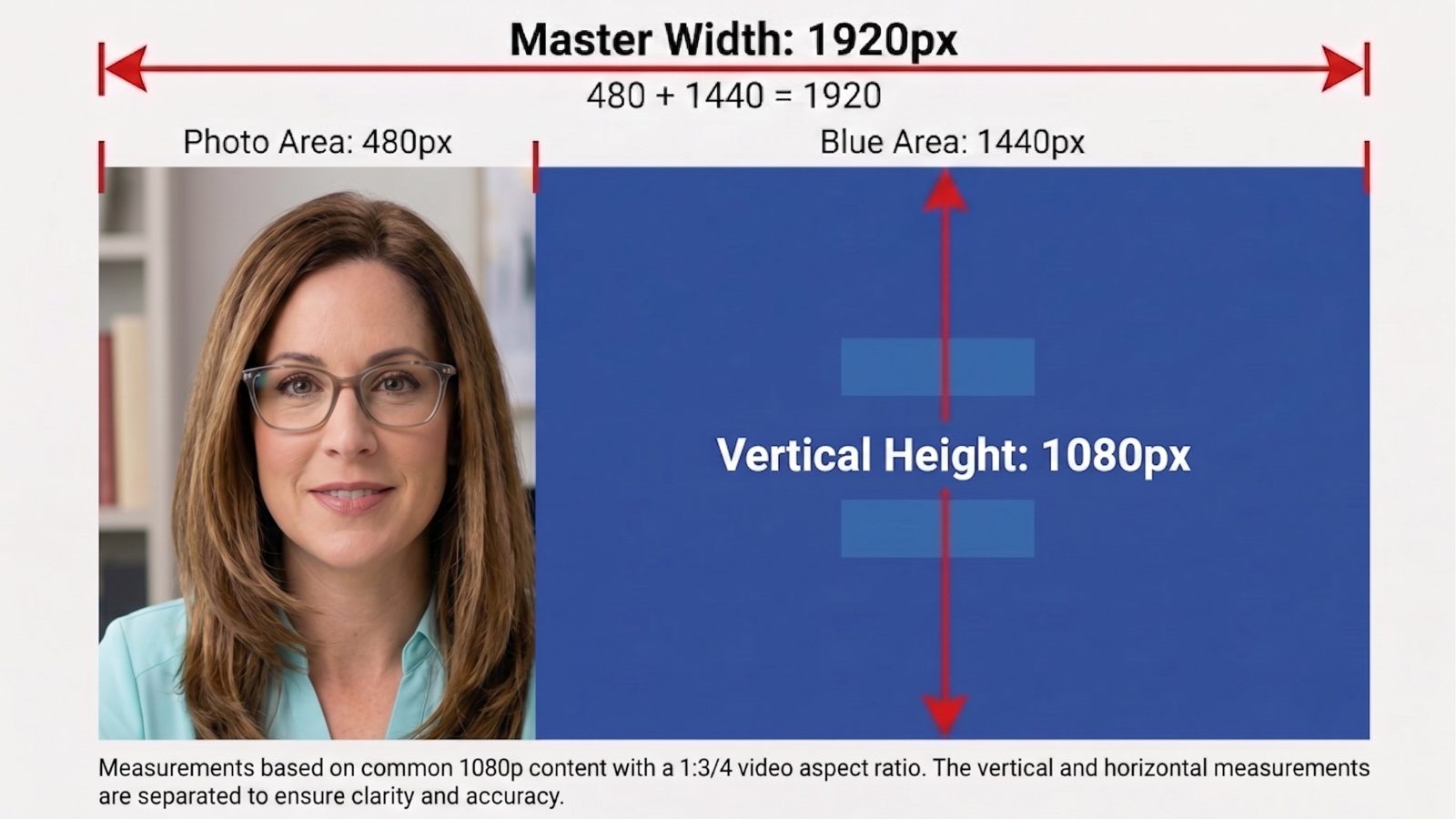
Ask for a full 16:9 graphic. Let the background fill the whole frame, edge to edge. Keep the left quarter background only. That's where your camera sits.
Put every word and picture in the right three quarters.
On a 1920 x 1080 screen, that's 480 pixels for you and 1440 pixels for your content.
A prompt to copy
Fill in the brackets. Then paste it into ChatGPT, Gemini, or the AI image tool you use.
Camera on the right?
Change "left quarter" to "right quarter," and "right three quarters" to "left three quarters." Everything else stays the same.
Check it before you use it
AI tools don't always follow the layout you ask for. Sometimes content drifts into the empty quarter.
So I check every graphic in OBS before I use it. I put it behind my camera and look.
If anything important is hidden, I ask the AI to try again and repeat the line about the left quarter.
I also read every word. AI still misspells things.
The AI may not deliver exactly 1920 x 1080. That's fine as long as the shape is 16:9. OBS scales it to fill the screen, and the left quarter stays a quarter.
Want more?
This is how I build graphics for my own calls. It isn't a design course.
Tip 1: How I share my screen and stay on camera
How much of your last slide was hidden behind your own video?